
Screenshots
About Equalizer Pro - Volume Booster & Bass Booster
Master your audio experience with Equalizer Pro - Volume Booster & Bass Booster, the professional-grade sound enhancement app that transforms music and video playback on your Android device. Whether you're listening through speakers or headphones, this powerful equalizer gives you complete control over every frequency, letting you customize your audio to perfection.
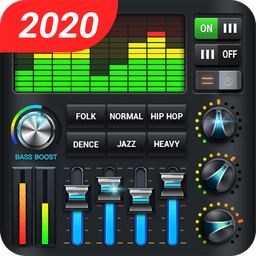
Take command of your sound with a five-band equalizer that lets you fine-tune treble, midrange, and bass with precision. Choose from 22 professionally crafted presets—including Classical, Jazz, Rock, Hip Hop, Electronic, and Bass Boost—each optimized for different music genres and listening environments. Don't like the presets? Create your own custom sound profiles and save them for instant access. The intuitive interface makes adjusting sound settings as simple as dragging sliders, so you get professional audio results without the learning curve.
Experience immersive sound with stereo surround effects and advanced virtualizer technology that adds depth and dimension to your music. The bass booster delivers powerful low-end punch, while the volume amplifier ensures your audio stays loud and clear without distortion. Real-time music visualization displays a dynamic spectrum analyzer, so you can watch your sound come alive as it plays. Advanced audio decoding technology handles high-fidelity playback for both music and video content, preserving clarity across all frequency ranges.
Keep your sound settings active all the time with always-on background operation. Control the equalizer through the notification bar or customize your home screen with available widgets in multiple sizes (1x1, 4x1, 2x2), giving you instant access without opening the app. The persistent foreground service ensures your audio adjustments remain active even when you're doing other things, so your optimized sound never stops.
Personalize your listening experience with gorgeous background themes and headphone-specific bass boosting technology. Whether you're enjoying music, watching videos, or gaming, Equalizer Pro - Volume Booster & Bass Booster adapts to your needs and delivers the rich, powerful sound you've been missing. Download today and unlock the full potential of your device's audio.
Pros & Cons
Pros
- Five-band equalizer with 22 genre-optimized presets for quick audio customization
- Create and save custom sound profiles for different listening scenarios
- Real-time spectrum analyzer visualization while music plays
- Always-on background operation keeps audio settings active across all apps
- Home screen widgets provide instant equalizer access without opening the app
Cons
- Persistent foreground service required for always-on functionality drains battery
- Volume amplification may cause audio distortion at maximum settings
- No mention of equalizer presets for video or movie-specific audio enhancement
- Background service notification cannot be disabled, creates persistent clutter
Frequently asked questions about Equalizer Pro - Volume Booster & Bass Booster
Is Equalizer Pro - Volume Booster & Bass Booster safe to download?
A malware scan report for this version of Equalizer Pro - Volume Booster & Bass Booster is not available on Unstore yet. Only install files from sources you trust and keep your device's security protection turned on.
What are the system requirements for Equalizer Pro - Volume Booster & Bass Booster?
Equalizer Pro - Volume Booster & Bass Booster runs on Android. It requires Android 6.0 (Marshmallow) or later. The download size is 19.8 MB.
What is the latest version of Equalizer Pro - Volume Booster & Bass Booster?
The latest version of Equalizer Pro - Volume Booster & Bass Booster on Unstore is 1.2.8. It was last updated on May 22, 2026.
Who develops Equalizer Pro - Volume Booster & Bass Booster?
Equalizer Pro - Volume Booster & Bass Booster is developed by iJoysoft.
Related Apps

HWiNFO
Hardware monitoring for Windows—track CPU temp, GPU load, fan speed, voltage in real time.

TransMac
Read Mac drives and DMG files on Windows. Access APFS/HFS+ storage and create disk images.

Advanced SystemCare Free
System optimization tool: clean, repair, and secure your PC. Remove malware, fix errors, and boost performance.

Display Driver Uninstaller (DDU)
Driver uninstaller for GPU and audio — removes residual files for clean Windows updates

Glary Utilities
PC maintenance and optimization suite — clean, repair, and speed up your Windows computer in one action.

Universal ADB Drivers
ADB drivers for Android: Connect any smartphone to Windows PC without manufacturer software.
Latest Articles

Play a free Color Ball Sort Puzzle-style game in your browser (no download)
Oct 6, 2026

Play a free Beach Buggy Racing-style kart racer in your browser (no download)
Oct 6, 2026

Play a free Alto's Adventure-style game in your browser (no download)
Oct 6, 2026

Free online whiteboard like Jamboard: use Quickboard in your browser, no signup
Oct 6, 2026

Free online running pace calculator: splits, race predictor and daily challenge, no download
Oct 6, 2026